Sử dụng File Manager
Truy cập vào Hosting > File Manager
Tổng quan giao diện File Manager trong cPanel.
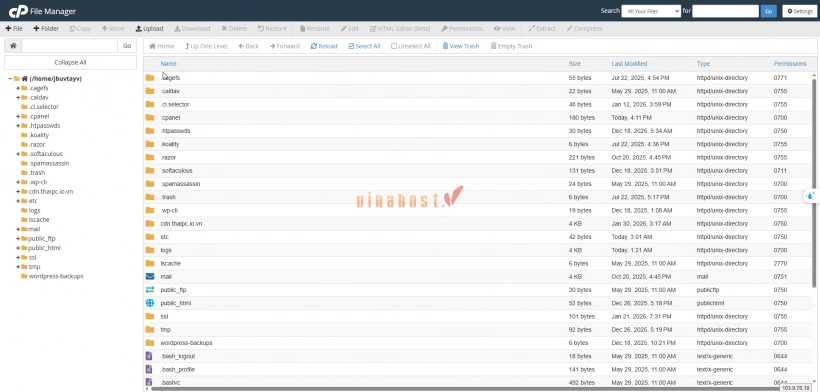 {.center loading="lazy" width="820" height="392"}
Các thao tác cơ bản: Tạo File/Thư mục mới, Upload
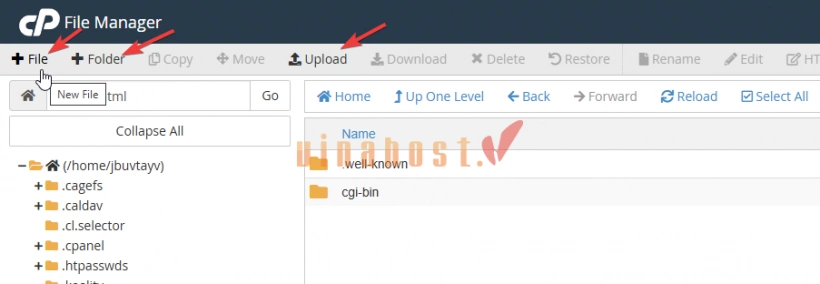 {.center loading="lazy" width="820" height="284"}
Các chức năng quản lý cho thư mục:
Move: Di chuyển
Copy: Sao chép
Rename: Đổi tên
Delete: Xóa
Change Permissions: Đổi quyền
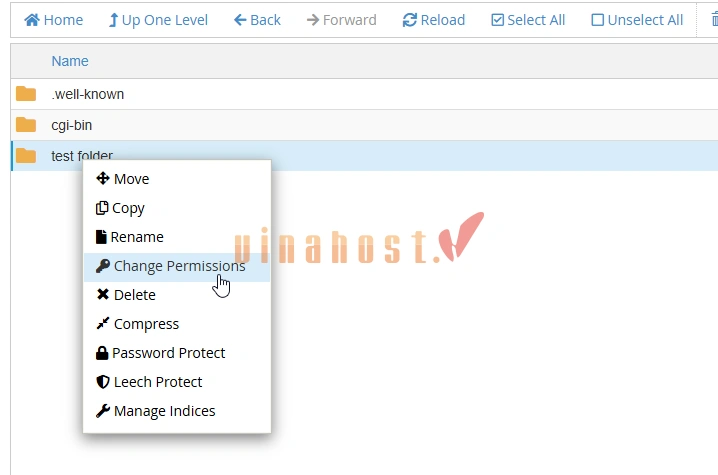 {.center loading="lazy" width="718" height="475"}
Nén file (Zip, Tar, Gzip).
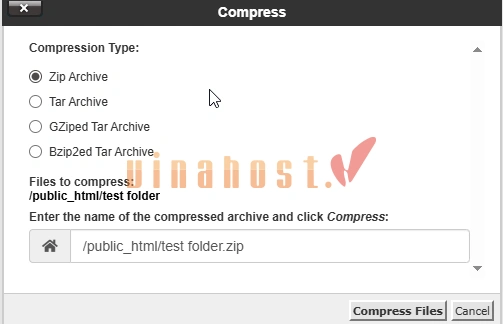 {.center loading="lazy" width="503" height="324"}
Giải nén file
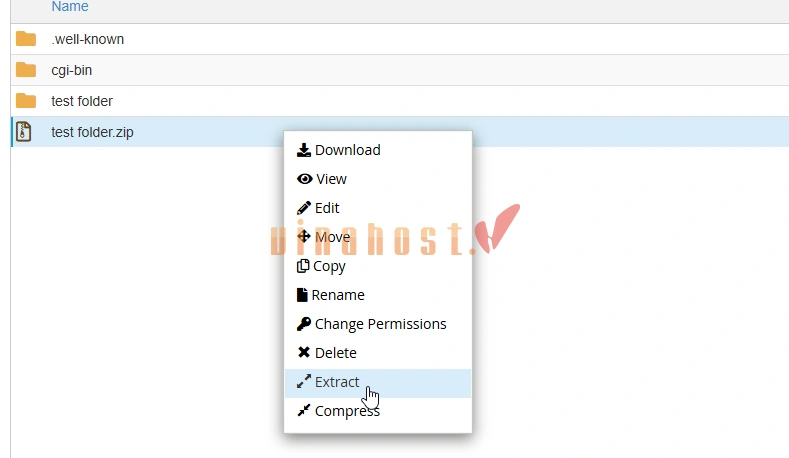 {.center loading="lazy" width="789" height="458"}
Xem và quản lý các file ẩn (Ví dụ: .htaccess, .user.ini).
Vào Settings > Show hidden files
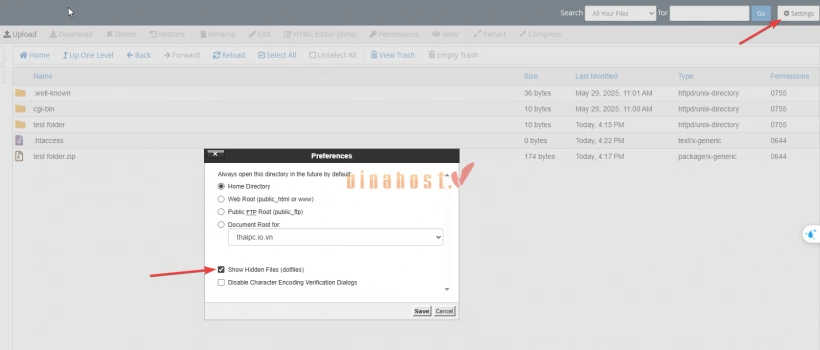 {.center loading="lazy" width="820" height="350"}
Tìm kiếm file và thư mục theo tên.
Ví dụ: Tìm kiếm từ khóa htacc
 {.center loading="lazy" width="820" height="463"}
Chúc bạn thực hiện thành công!